A Pro license arrives by email after checkout as a key in the form SM4-XXXX-XXXX-XXXX-XXXX. Activating it unlocks Pro instantly.
Activate Pro in three steps
- Open the app and go to Settings → License.
- Paste your
SM4-XXXX-XXXX-XXXX-XXXXkey — the field auto-formats as you type, so don’t worry about dashes or casing. - Click Activate. Pro unlocks immediately — unlimited accounts, the full API, scheduling, and full history all switch on.
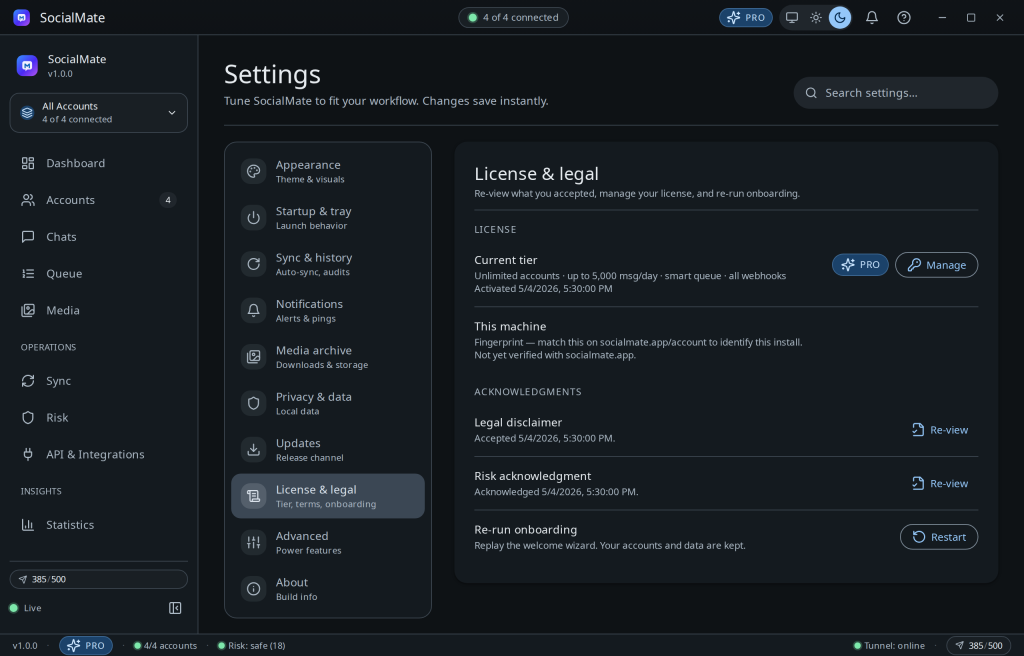
Or activate right where you are
Settings is the classic path, but you don’t have to go there. An “Already purchased?” box appears in the app’s upgrade prompts, in the trial-ending reminder, and on the in-app Pricing page — paste your key into any of them and Pro activates in place. A brand-new key shows a neutral hint (“We’ll verify this key with SocialMate when you activate”) — that’s normal; the check happens when you click Activate.
How it works. Licenses are RSA-signed and machine-bound for security — activation verifies your key with socialmate.app and binds the license to this machine. Each license includes one device, and you can add seats to run it on more computers at once. The app keeps a signed copy locally and re-verifies about every 12 hours (and on every launch) — a brief network blip never demotes you: it only drops to Free after roughly 2 days of running without being able to reach socialmate.app, and time the machine spends switched off doesn’t count. The timers are tamper-resistant, including against system-clock rollback.
Moving to a new machine
Each Pro license includes one device; add seats to run more computers on the same key at once. To move a license to a different machine (no extra seat needed): open your account → Devices, deactivate the old device to free its seat, then activate your key in the app on the new computer. No support ticket needed. Full walkthrough: Move your license to a new computer.
Lost your key?
Sign in to your account and copy it from the Licenses tab, or use Resend key email. See Find or resend your license key.
No key yet?
Every machine gets one 7-day Pro trial — start it from inside the app with just an email address, no card, so you can feel the full engine before you buy. See Start your 7-day Pro trial, then pick a plan when you’re ready.