For n8n, use the native SocialMate node — it’s the fastest path (typed operations plus a trigger that registers its own webhook). For Make, Zapier, or your own code, SocialMate is a standard HTTP API plus webhooks, so it drops in anywhere with the two-way pattern below.
Sending (platform → SocialMate)
Use an HTTP Request node:
POST  https://your-tunnel-url/v1/accounts/ACCOUNT_ID/messages
Header  x-api-key: YOUR_KEY
Body  { "chatId": "15551234567", "text": "Order #1024 shipped 📦" }
Point it at your named tunnel URL so the cloud platform can reach your machine.
Receiving (SocialMate → platform)
Create a Webhook trigger in your platform, copy its URL, and add it as a SocialMate webhook endpoint. Now inbound messages and events flow straight into your workflow.
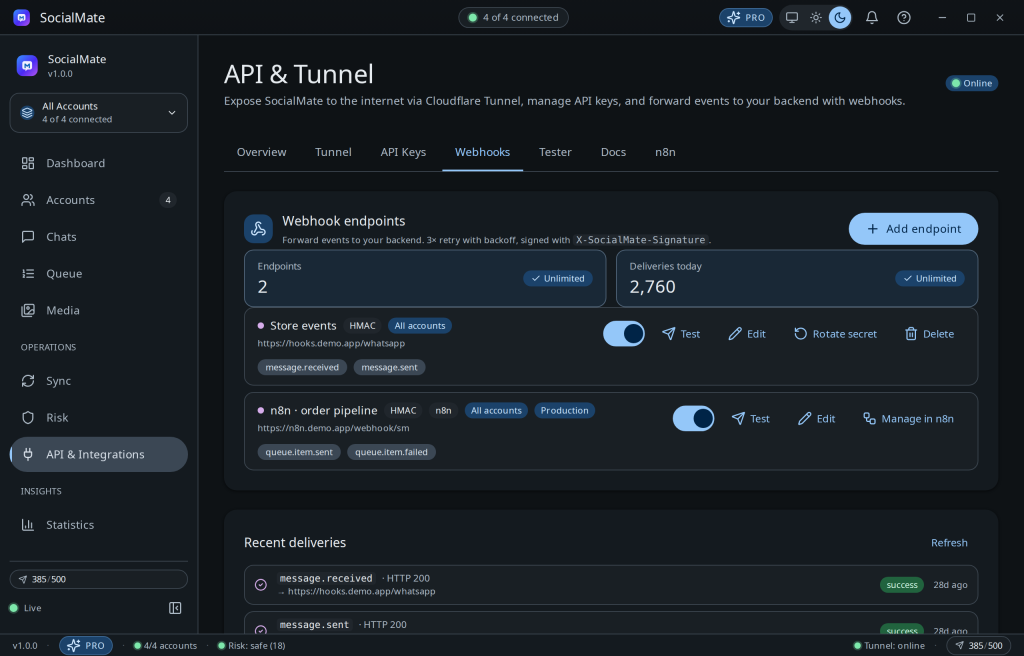
Tip. This two-way wiring (HTTP node out, webhook in) is the whole pattern. See the n8n automation backbone playbook for an end-to-end example.
Was this helpful?
Thanks for the feedback!