When you add an account, SocialMate assigns it one permanent linked-device identity — a realistic desktop browser profile (operating system + browser), drawn from a pool of 16 presets spanning macOS, Windows, and Ubuntu across Chrome, Firefox, Edge, and Safari. It’s assigned once and never rotated.
The identity is always a browser, never a phone and never the WhatsApp Desktop app — SocialMate links the same way web.whatsapp.com does, so the device it reports has to look like a desktop browser. Claiming anything else is a protocol mismatch WhatsApp can spot.
Why a desktop identity (not a phone)
SocialMate connects exactly the way WhatsApp Web and WhatsApp Desktop do — as a linked device. Linked devices are computers, not phones: your phone is the primary device, and a linked device that claims to be a phone is a protocol mismatch that stands out. A consistent, realistic desktop identity is precisely what an ordinary WhatsApp Web session looks like in your phone’s Linked devices list.
Why permanent beats rotating
Real linked devices don’t change identity from day to day. A stable fingerprint is what looks normal to WhatsApp; rotating it is itself a red flag (and triggers security checks). So SocialMate picks one believable desktop profile per number and keeps it for the life of the account. Two accounts on the same machine are deliberately given different presets so they never collide.
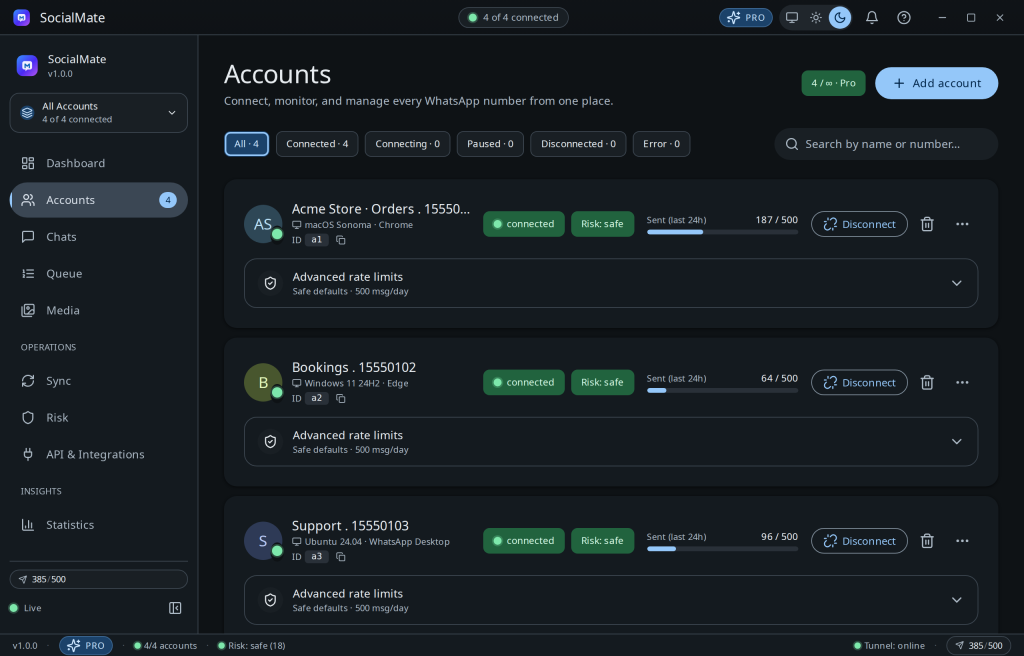
Tip. The device label appears next to each account. Two numbers on different desktop profiles look like two ordinary WhatsApp Web sessions — exactly what you want when running multiple accounts.
This is layer 8 of the 8-layer shield.