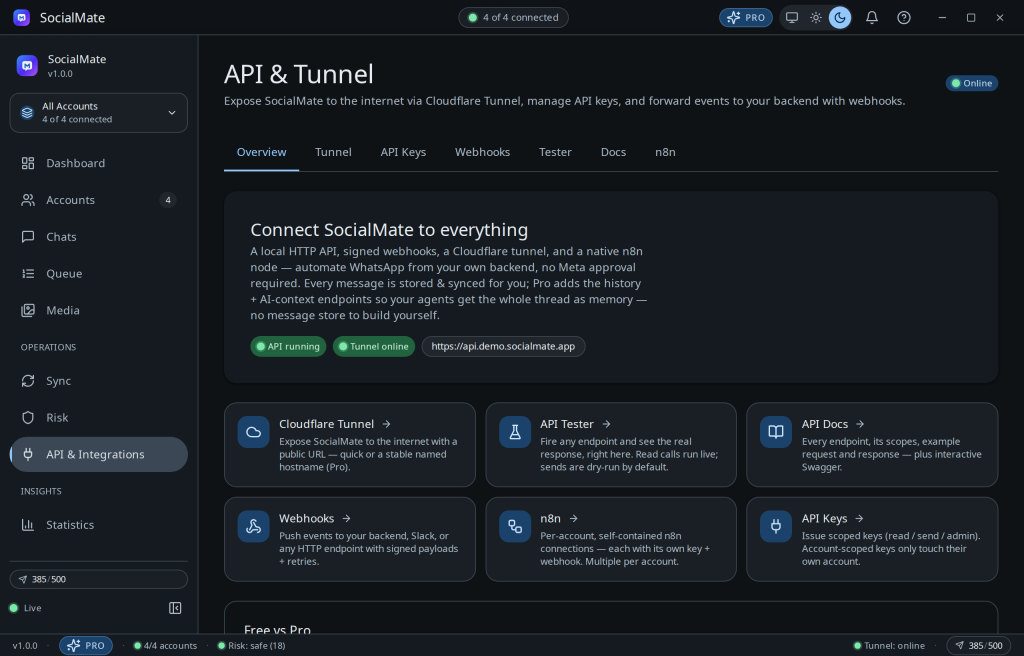
SocialMate has a native n8n node, so you don’t have to hand-build HTTP Request and Webhook nodes. The package n8n-nodes-socialmate adds an action node, a trigger node, and a SocialMate API credential whose key is scoped to the accounts you allow.
1. Install the node
- n8n UI: Settings → Community Nodes → Install →
n8n-nodes-socialmate. - npm (self-hosted n8n):
npm install n8n-nodes-socialmate.
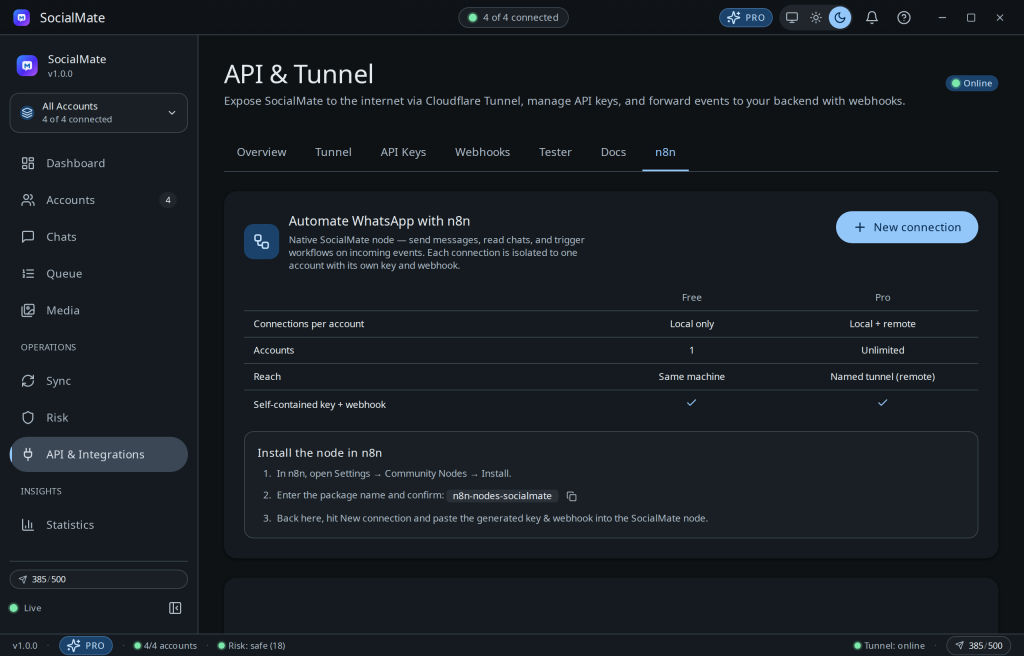
2. Create a connection in the app
- Open API & Integrations → n8n → New connection.
- Pick the account scope — this, selected, or all accounts. SocialMate mints a scoped API key and a self-registering webhook.
- Copy the Server URL and API key into the n8n credential. Use
http://127.0.0.1:3456for same-machine n8n, or your Pro named tunnel for remote.
3. Build your workflow
The SocialMate node groups operations by resource — Message (send text/media, search, AI context), Chat, Contact, Group, Media, Queue, Account, Sync, Webhook, API Key and System. Text send works on Free; media, group management, scheduling and the smart queue are Pro.
The SocialMate Trigger node fires your workflow on incoming events (the full 35-event catalogue) and registers its own webhook automatically — just choose the events and activate.
Tip. For an AI auto-reply, chain Trigger → Message: Get AI Context → your LLM node → Message: Send Text. The package ships importable examples in its examples/ folder.
4. Use it as an AI Agent tool
Every operation is exposed as an n8n AI-Agent tool (usableAsTool), so an AI Agent can send, read, look up contacts, manage groups and queue batches of personalised messages on WhatsApp on its own. Set N8N_COMMUNITY_PACKAGES_ALLOW_TOOL_USAGE=true on your n8n instance, add an AI Agent node, and attach SocialMate on its Tool input. Pair it with Message: Get AI Context so the agent recalls the whole thread. SocialMate is the WhatsApp hands and memory; your own LLM is the brain (AI generation by SocialMate itself is coming soon). See the WhatsApp AI agent tool for n8n page.
Don’t forget the trigger. Attaching tools lets the agent act, but something has to start the workflow when a message arrives. Add a SocialMate Trigger node set to message.received as the entry point, and wire the AI Agent’s final output into Message: Send Text to reply. Without the trigger the agent has tools but never fires on inbound messages.
5. Use it with Claude Desktop, Claude Code or Cursor (MCP)
SocialMate also ships a native Model Context Protocol server (socialmate-mcp), so Claude Desktop, Claude Code, Cursor, Cline — any MCP client — can control WhatsApp as native tools (44 of them). Switch on the local API server (it is off by default), create an API key, then point your client at npx -y socialmate-mcp with SOCIALMATE_API_KEY + SOCIALMATE_BASE_URL in its env — or, on Claude Code, run claude mcp add socialmate --env SOCIALMATE_API_KEY=sm_xxx --env SOCIALMATE_BASE_URL=http://127.0.0.1:3456 -- npx -y socialmate-mcp. Nothing to install: npx fetches it on first run. Every tool call runs through the same anti-ban, key-scope and tier gates as the API, so an agent can never bypass a limit.
One caveat: MCP is request/response — it has no inbound push, so a client only acts when you ask it to. To auto-react to incoming messages, either poll whatsapp_fetch_new_messages on a loop, or drive the trigger from the n8n SocialMate Trigger / a webhook to your code and let the agent act back through MCP. Full config, the tool list and the inbound patterns are in the MCP server docs and the WhatsApp MCP server page.
Full reference: the n8n integration docs. Prefer no node? See Connect n8n, Make & Zapier for the manual HTTP + webhook recipe.