The Risk page is where the anti-ban engine becomes visible. Nothing about your account’s safety is hidden — here’s how to read every panel.
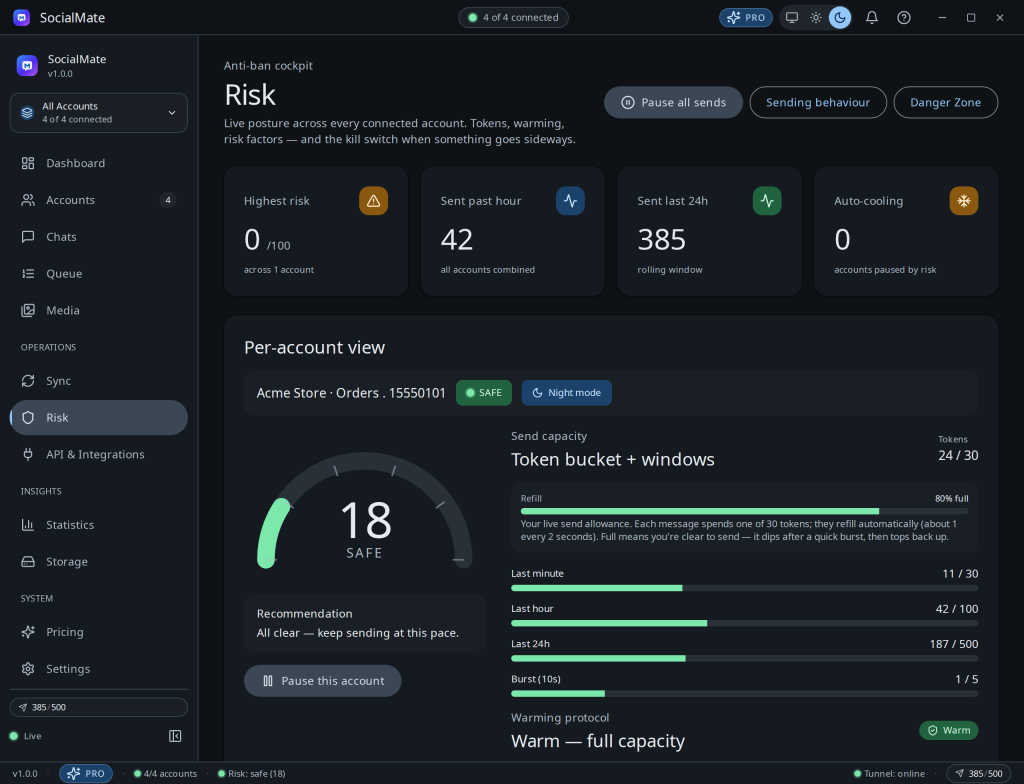
The panels
- Risk gauge — your 0–100 score, banded by colour.
- Warming timeline — where a new number is in its ~72-hour ramp and what today’s cap is.
- Rate meter — four live buckets (burst, minute, hour, day) showing headroom before the limiter kicks in.
- Factor bars — the eight contributors to your score.
- Cooling alert — an overlay that appears when the engine throttles you, with the reason and auto-resume time.
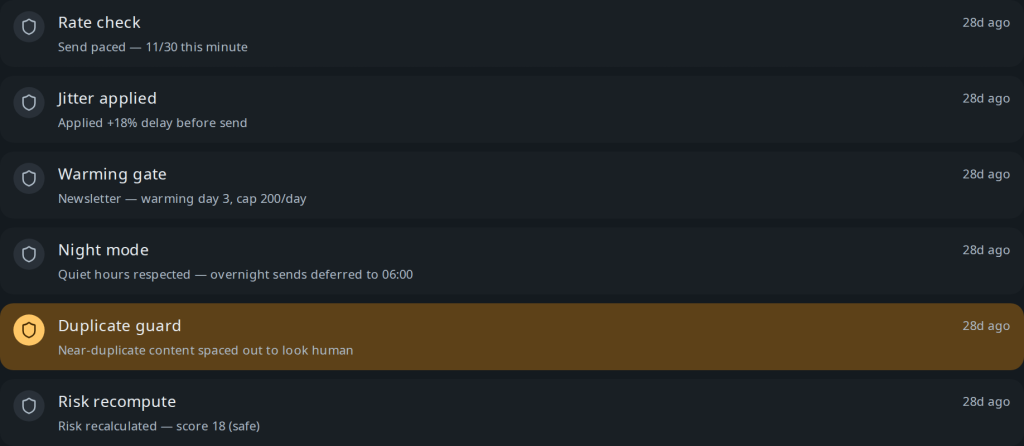
- Anti-ban log — a timestamped record of every throttle, pause, and decision.
Tip. Treat the cockpit like a dashboard in a car: glance at it, don’t stare. If everything’s green and the rate buckets have headroom, you’re fine. When a factor bar spikes, that’s your cue to ease off.
Related
Understanding your risk score · Rate limits explained · Cooling pauses & recovery.
Was this helpful?
Thanks for the feedback!