The job: message customers when an order is placed, paid, or shipped — on the channel they actually open. Email gets ignored; WhatsApp gets read.
Why the cloud route hurts
The official Cloud API meters every conversation and needs Meta business verification; cloud blasters put your customer list on their servers and bill per seat. For a store sending thousands of transactional updates, both are expensive and slow to set up.
How SocialMate does it
- Your store already fires webhooks on order events. Point them at a tiny script (or an n8n/Make workflow).
- That script calls SocialMate’s local API through your named tunnel:
POST https://your-tunnel-url/v1/accounts/ACCOUNT_ID/messages
x-api-key: YOUR_KEY
{ "chatId": "[email protected]",
  "text": "Your order #1024 has shipped 📦 Track: https://…" }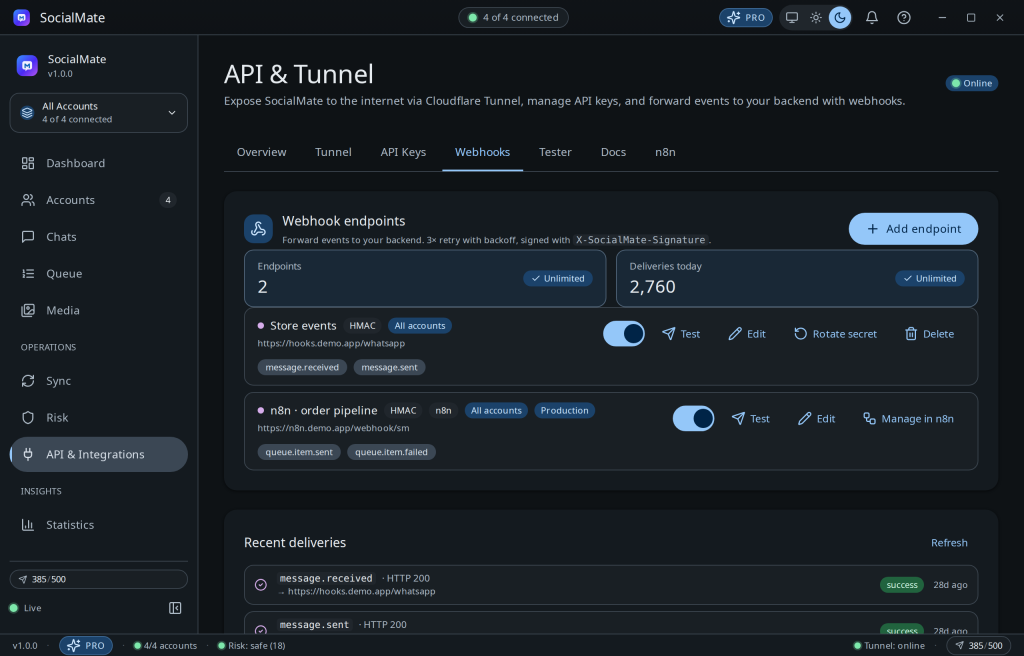
Why it wins
- Flat cost. 100 or 100,000 notifications — same flat license, no per-message meter.
- Your data stays yours. The customer list never leaves your machine.
- Anti-ban built in. The engine paces sends so a busy sale day doesn’t torch your store number.
Keep it transactional and consented. Order updates to customers who bought from you are welcome; unsolicited promos are not — and no tool is 100% ban-proof.
Pro. Media receipts, a stable named tunnel, and unlimited webhook deliveries are Pro. Compare plans →
Was this helpful?
Thanks for the feedback!