The job: give your n8n / Make / Zapier workflows a WhatsApp channel you own — no per-message bill, no data leaving your machine.
The fastest path: the native n8n node
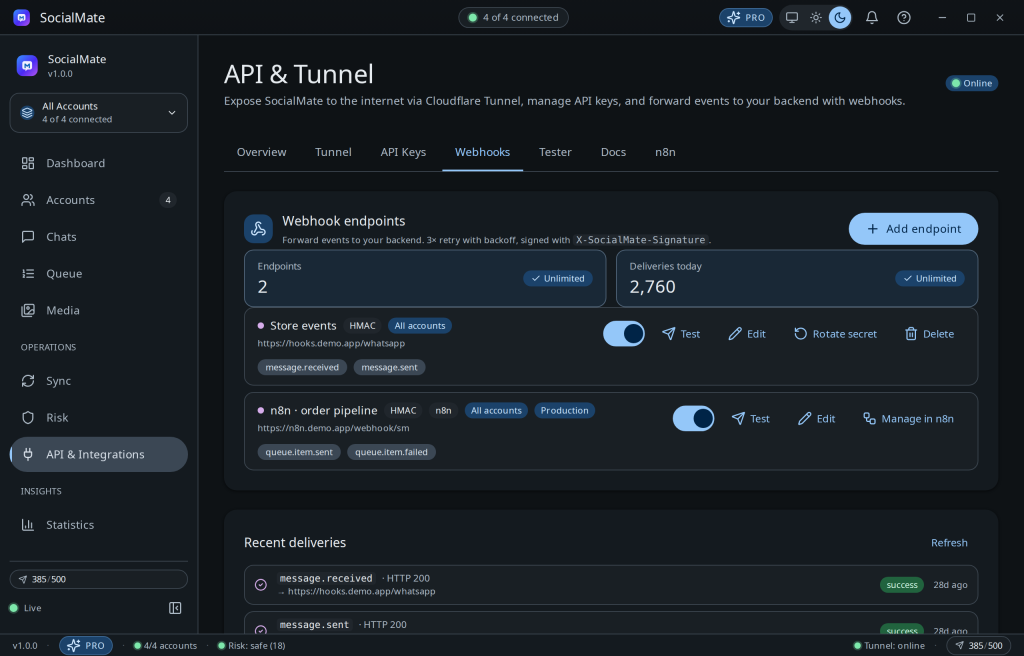
For n8n there’s now a native node — install n8n-nodes-socialmate, create a connection in API & Integrations → n8n, and you get typed operations plus a SocialMate Trigger that registers its own webhook. See Automate WhatsApp with the native n8n node and the n8n docs.
The universal pattern (two wires)
For Make, Zapier, or your own code — and as the manual alternative in n8n — it’s just two wires:
- Out: an HTTP Request node →
POST /v1/accounts/{id}/messageson your tunnel URL with yourx-api-keyand achatId. - In: a Webhook trigger node whose URL you register as a SocialMate webhook — now inbound messages and all 35 events flow into your workflow.
What people build
- Lead capture → instant WhatsApp acknowledgement.
- Inbound message → CRM update → templated reply (built in your workflow).
- Cron → daily digest to a consented list, paced by the engine.
Why self-hosted is the unlock. The channel runs on your hardware, on your residential connection, with your data local. That’s something a cloud connector structurally can’t offer — and it’s why developers pick it. On Pro, the smart queue auto-retries rate-limited sends so your flows don’t have to handle 429s.
Step-by-step wiring: Connect n8n, Make & Zapier.