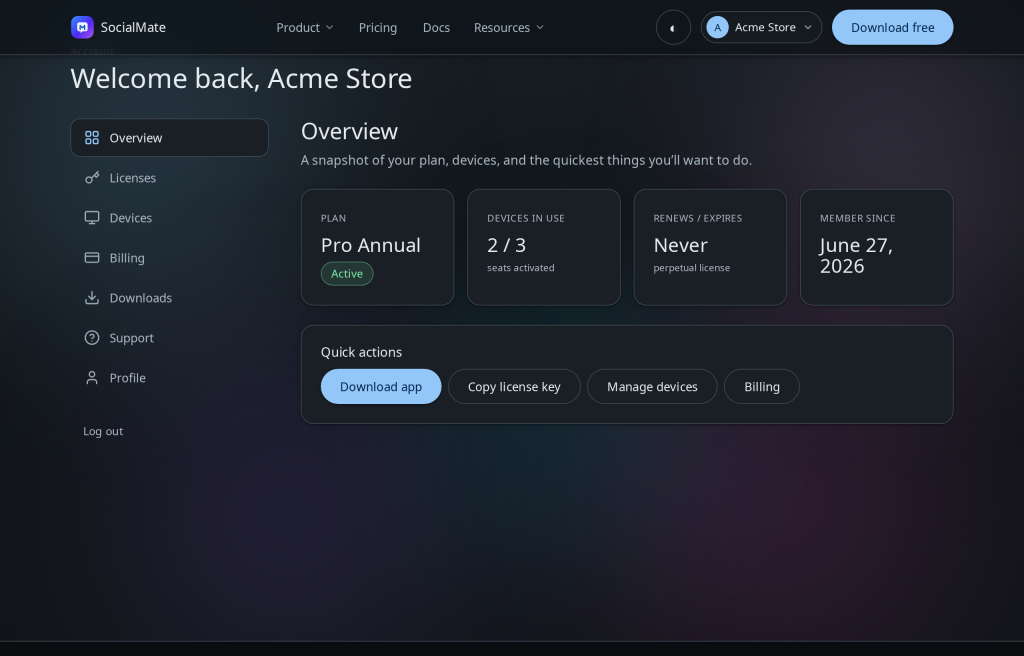
Your account at socialmate.app/account is mission control for everything around the app — licenses, the machines they’re bound to, billing, downloads, and your tickets. (The app itself runs entirely on your machine; the portal just manages your relationship with us.)
What’s inside
- Licenses — your keys and their status. Each license card shows its recurring total and renewal date, with the Device seats stepper and cancel/resume controls; + Add a license buys another license on any term. (Find or resend a key.)
- Devices — which machine each license is on; free a seat to move it. (Manage devices.)
- Billing — full payment history (Purchase, Renewal, Seat change, Refund) with FastSpring receipt links on every row, a From/To date filter, and a Sync from FastSpring button if anything looks out of date. (Manage subscription.)
- Downloads — the latest installers for every platform. (Download center.)
- Tickets — your support conversations, with your license context attached.
On a trial? A trial shows as Pro · Free trial with a countdown. Trial licenses have no seat or billing controls — those unlock with a paid subscription.
Tip. The Free tier needs no sign-up at all, and starting a Pro trial only captures an email — a full account comes with purchase, or register any time with your trial email to manage the trial here.
Was this helpful?
Thanks for the feedback!