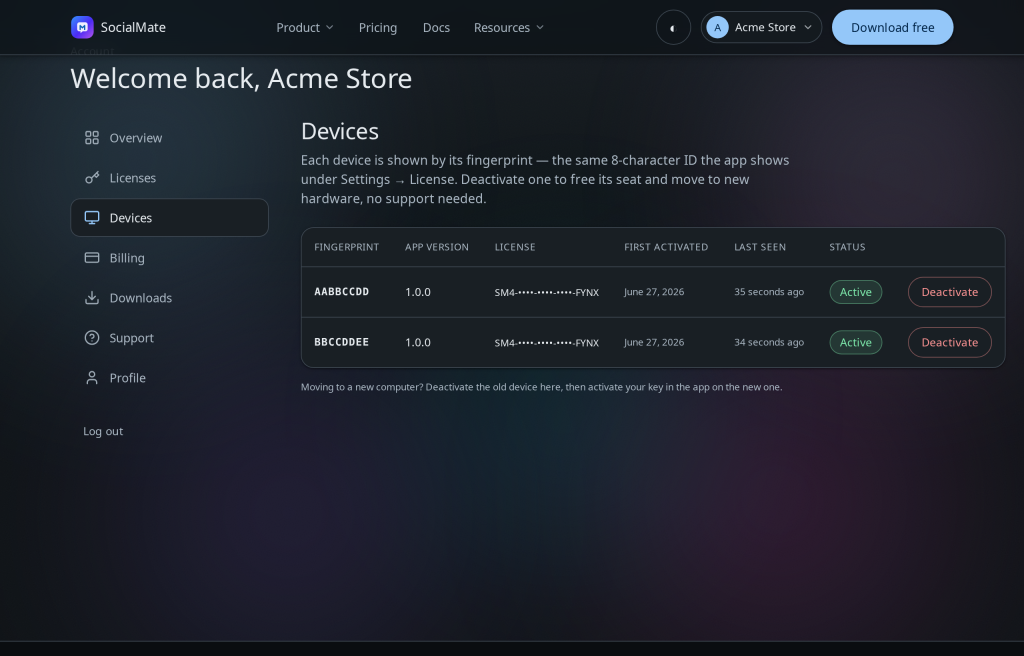
For security, each Pro license is RSA-signed and machine-bound. Every license includes one device; add seats to run more computers on the same license at the same time. The Devices tab shows where each license is active and lets you free a seat.
Add or remove seats
Need to run SocialMate on more than one computer at once? In your account, open the Licenses tab — each license card carries a Device seats stepper. Extra seats are $4/mo each on Monthly, about $40/yr each on Annual (seats bill on your plan’s own cycle; the portal and checkout always show the live price). Reviewing the change shows the exact prorated, tax-inclusive amount before you pay: adding seats charges the prorated difference now, removing seats credits your account. Seat changes process in the background — the count updates once FastSpring confirms. Adding seats requires an active Pro subscription.
What you can do
- See every machine your licenses are bound to, with last-seen info.
- Add or remove seats from the license card to change how many devices can run at once.
- Deactivate a device to release its seat (the license stays yours — only the machine binding is cleared).
- Then activate the key on a different computer.
Two ways to deactivate — one is instant. Deactivating from inside the app (Settings → License → Deactivate) on that computer frees the seat immediately. Deactivating from the web Devices tab is for when you can’t reach the machine — it holds the seat until that device next checks in (within ~12 hours) or 2 days pass, then frees. Either way the license stays yours.
Lowering seats never disconnects a device. A lower cap only blocks new activations. If you end up with more active devices than seats, the portal warns you — free a seat yourself under Devices whenever you’re ready.
Tip. Deactivating doesn’t delete anything in the app on that machine — your local data stays put. It only unbinds the license so you can use it elsewhere.
Moving permanently? See Move your license to a new computer.