“Desktop app” sounds like a limitation. For WhatsApp automation, it’s the entire advantage. Here’s the case, made plainly.
1. You own the data and the number
Your contacts, chats, media, and sessions live in a local, encrypted database under ~/.wa-agent-server/. No third party can read them, and no platform can suspend a dashboard and orphan your data. Stop renting access to your own WhatsApp.
2. No per-message meter
Cloud APIs bill per conversation; cloud blasters bill per seat. SocialMate is a flat license, because it’s your machine doing the work. A store sending 10,000 updates pays the same as one sending 100.
3. A native residential IP + a visible anti-ban engine
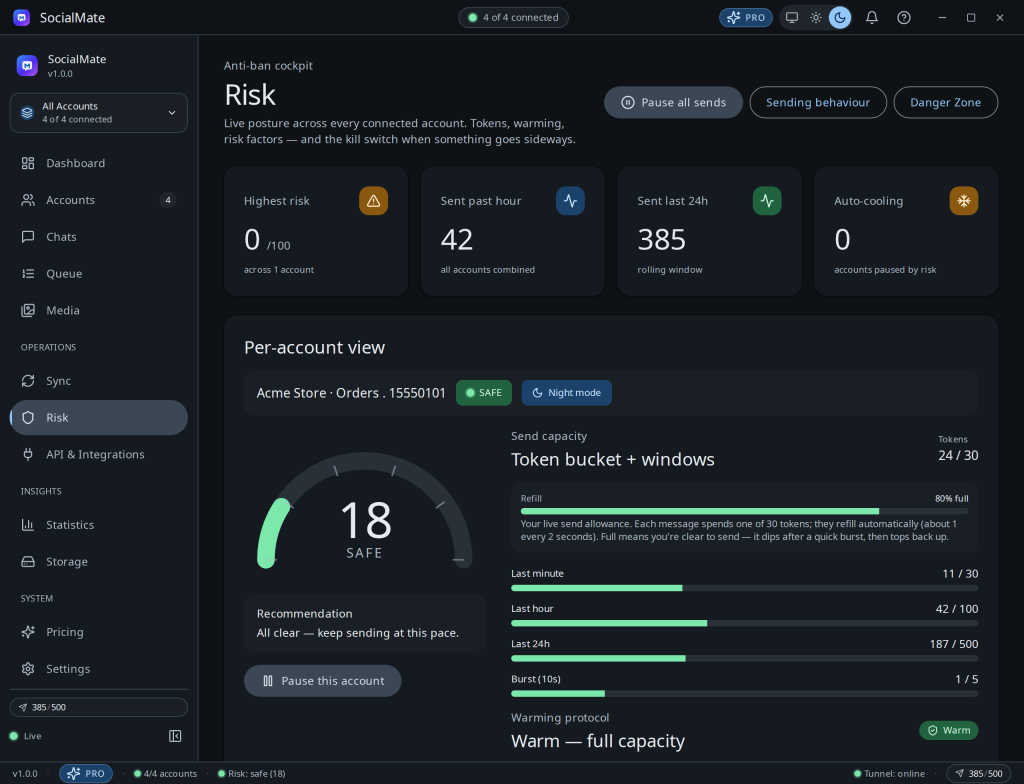
You send from your own residential connection — on the desktop, ideally the same home network as your phone — on a permanent, realistic linked-device identity, paced to human speed. That’s structurally safer than a datacenter IP fanning out thousands of messages. Every other tool sells a residential proxy to fake this; on your own machine you already are the residential user. (Running on a VPS uses a datacenter IP — route it through your own residential/mobile proxy on Pro, or see Desktop vs VPS: which is safer?.) And you can watch it all work.
4. A real, local developer API
localhost:3456 is yours, unmetered, with webhooks, OpenAPI, and a built-in tunnel when you need the outside world in. It’s the natural backend for n8n/Make/your own code.
“Isn’t desktop less convenient?” Setup is a QR scan, not a week of Meta verification. It lives in your tray, auto-updates, and goes public through a one-click tunnel — and on Pro it auto-starts on boot and reconnects your accounts, so it runs unattended like a server. Cloud-grade reach, desktop-grade ownership.
And we’ll still be honest: no tool, self-hosted or cloud, is 100% ban-proof. We make you as safe as you can be and show you the risk — read the disclaimer.