Sell in WhatsApp Pro
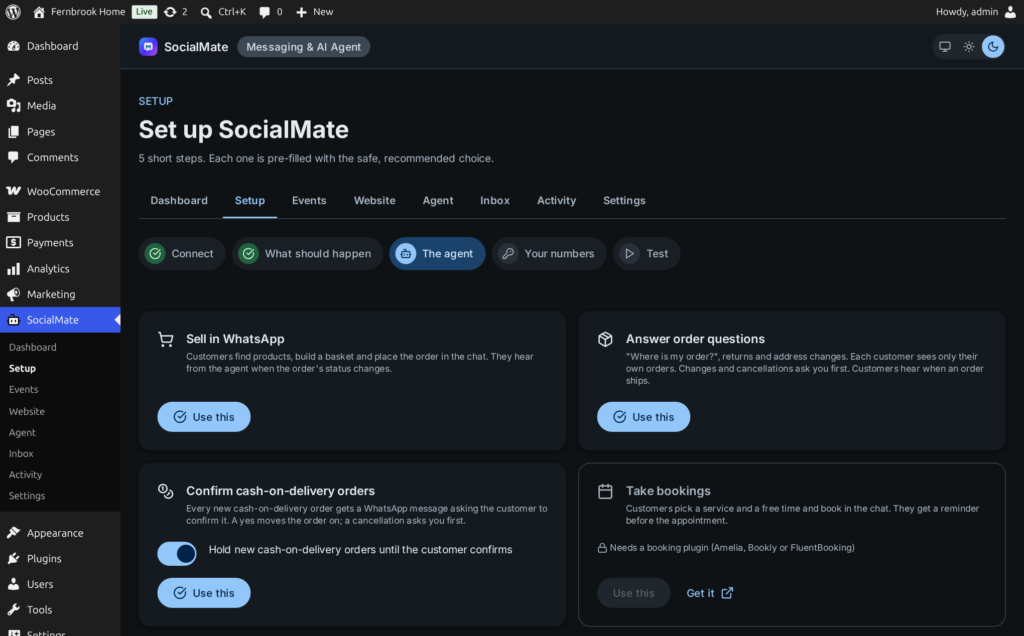
Customers find products, build a basket and place the order in the chat. They hear from the agent when the order’s status changes.
See a sale →Pick a job and the plugin switches on what it needs: the agent sells in the chat, answers “where is my order?”, confirms cash-on-delivery orders, takes bookings and replies to form leads — from your own number, and it asks you first before the changes you choose. Built on Anthropic’s Claude Agent SDK; the model is your choice.
list_my_orders
get_my_order(1042)
find_products
Claude Agent · Model: your choice
Each job switches on only the tools it needs, gives the agent the events it is for — only events that are still off, never one you already send a message for — creates the agent in SocialMate with your site attached, and you try it in the app’s Test console before customers see it.
Customers find products, build a basket and place the order in the chat. They hear from the agent when the order’s status changes.
See a sale →“Where is my order?”, returns and address changes. Each customer sees only their own orders; changes and cancellations ask you first.
Every new COD order gets a message asking the customer to confirm. A yes moves the order on; a cancellation asks you first.
COD confirmation →Customers pick a service and a free time and book in the chat, through Amelia, Bookly or FluentBooking — then get a reminder before the appointment. You confirm each booking, or let them book instantly.
Everyone who sends one of your forms with their number gets a reply on WhatsApp right away, answered from your website.
Menu orders in the chat through WooCommerce and table bookings through your booking plugin, with order updates and booking reminders.
Opening hours, policies, services — answered from your published pages and posts. Nothing on the site changes.
Setup’s third step, The agent, asks what your agent should do. One click per job, and you can combine them — or choose tool by tool. Afterwards, every tool the job turned on is listed under Agent → What it may do, and every event it took is set to Agent task on the Events tab, where you can change any of it.
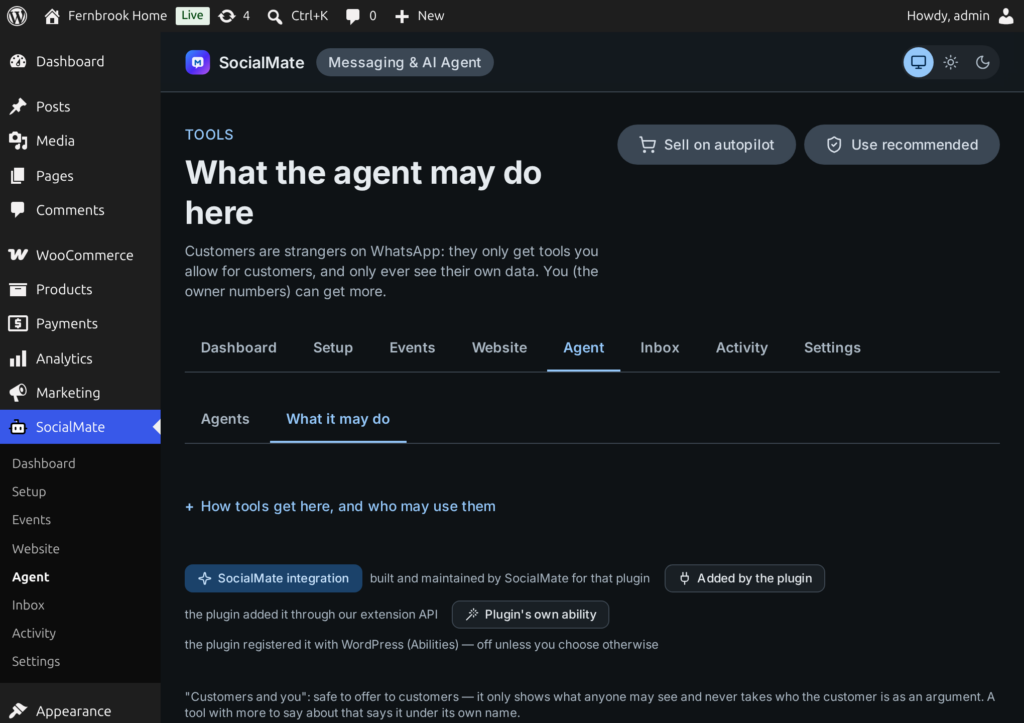
The agent can only do what a tool lets it do, and you decide which tools each lane may use. Packs appear when the plugin they read from is active.
search_site, get_page, list_content, site_overview — and for you, create_draft, publish_content, schedule_content, approve_comment, reply_to_comment.
A customer’s own account: get_my_account, update_my_account. For you: find_customers, create_customer_account, send_reset_link.
On WordPress 6.9 and later, every ability a plugin registers — such as core_get_site_info — can become a tool.
find_products, show_product, list_my_orders, get_my_order, cancel_my_order, confirm_my_order — and for you, sales_summary, low_stock, update_order_status.
add_to_basket, apply_coupon, set_delivery_address, delivery_options, payment_options, place_order, get_payment_link, i_have_paid, reorder, request_return, notify_when_back.
product_reviews answers “is it any good?”, and notify_when_back signs a customer up for a sold-out product.
orders_needing_attention, find_orders, list_coupons.
mark_order_paid, add_tracking, update_order_address, change_order_items.
update_stock, set_price, create_coupon, disable_coupon, create_product_draft, publish_product.
Over Amelia, Bookly and FluentBooking: list_services, find_available_slots, book_appointment, my_bookings, cancel_my_booking — and bookings_on for you.
Over Contact Form 7 + Flamingo, WPForms, Gravity Forms and Fluent Forms: list_forms, list_form_entries, forms_summary — for you only.
Any plugin can add tools and events through the developer API.
Developer API →Who someone is comes from the signed request — their WhatsApp number — never from what the AI types.
Only the tools you allow for customers, and only their own data: orders and bookings are matched against their exact WhatsApp number. A customer tool cannot even take a phone, email, user id or record id.
Only for your own numbers that you give owner tools, each acting as the WordPress user you map to it — with that user’s permissions, no more. A number that only gets alerts never does.
Read-only tools can be switched on freely. Anything that changes your site — a cancellation, an address, a price — starts off. Turn it on with Ask me first and you see the exact change before it happens, or let it run by itself once you trust it.
Owners message their own agent like a colleague: what needs attention, mark this paid, add the tracking, approve that change.
orders_needing_attention
mark_order_paid · ask first
Claude Agent · Model: your choice
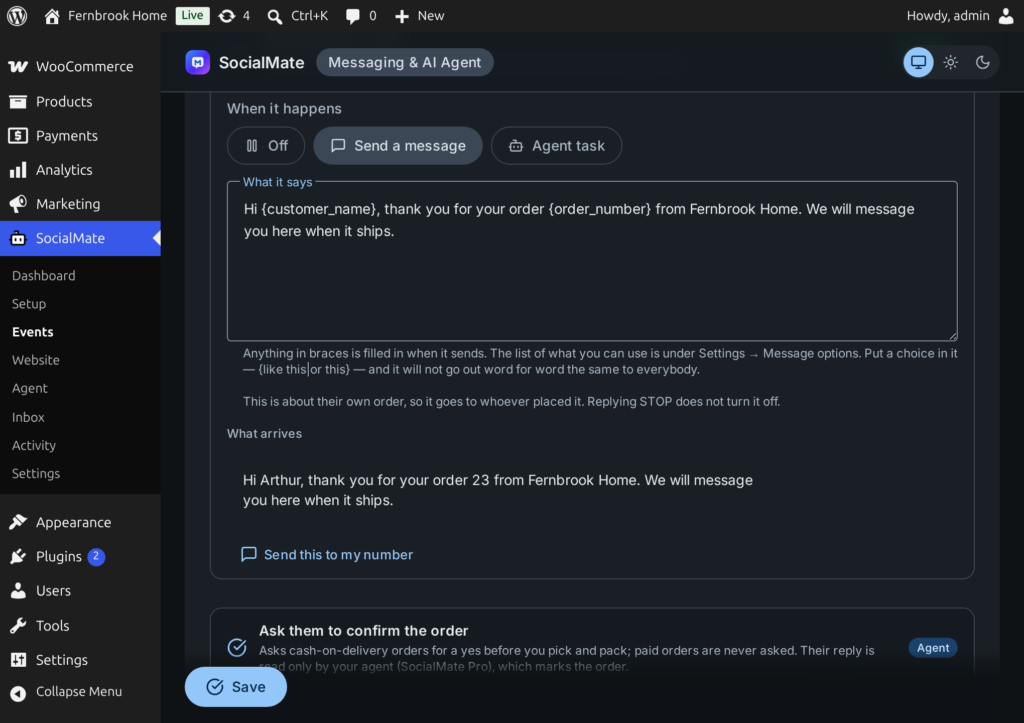
On the Events tab, a new order, a status change, a booking, a form entry — or any plugin’s own action — can be set to Agent task: an instruction in your words, and the agent writes to the customer or to you. The recipient comes from the record, never from the model.
The Events tab lists everything your site can report — WooCommerce, Bookings, Forms, This website and Other plugins — and for each one you choose Off, Send a message or Agent task.
The agent screens talk to your SocialMate app; while it is closed they say so, and the rest of the plugin keeps working.
What was sent, what the agent did, costs and usage.
The agent on this site, on or off; your agents, with pause and resume; and what it may do — every tool, per lane, with Ask me first.
Approvals waiting for you, and the chats handed to you — reply or take over.
Every site event: off, a message or an agent task.
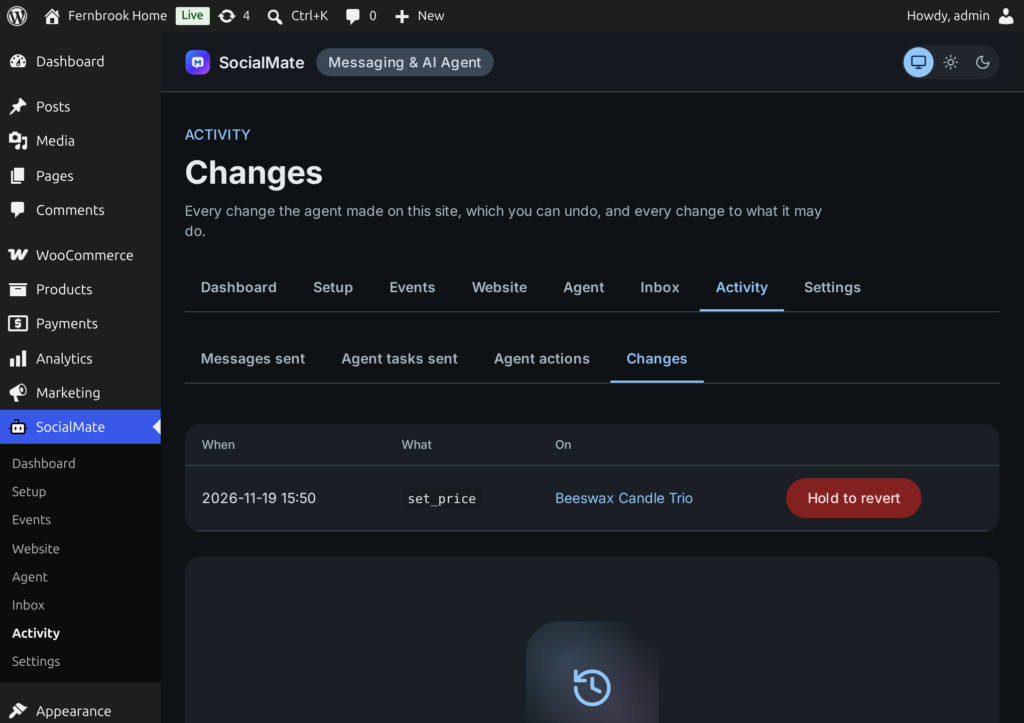
Messages sent, agent tasks sent, every agent action logged; content changes can be reverted.
Connection, your numbers and owners, access keys, health and limits.
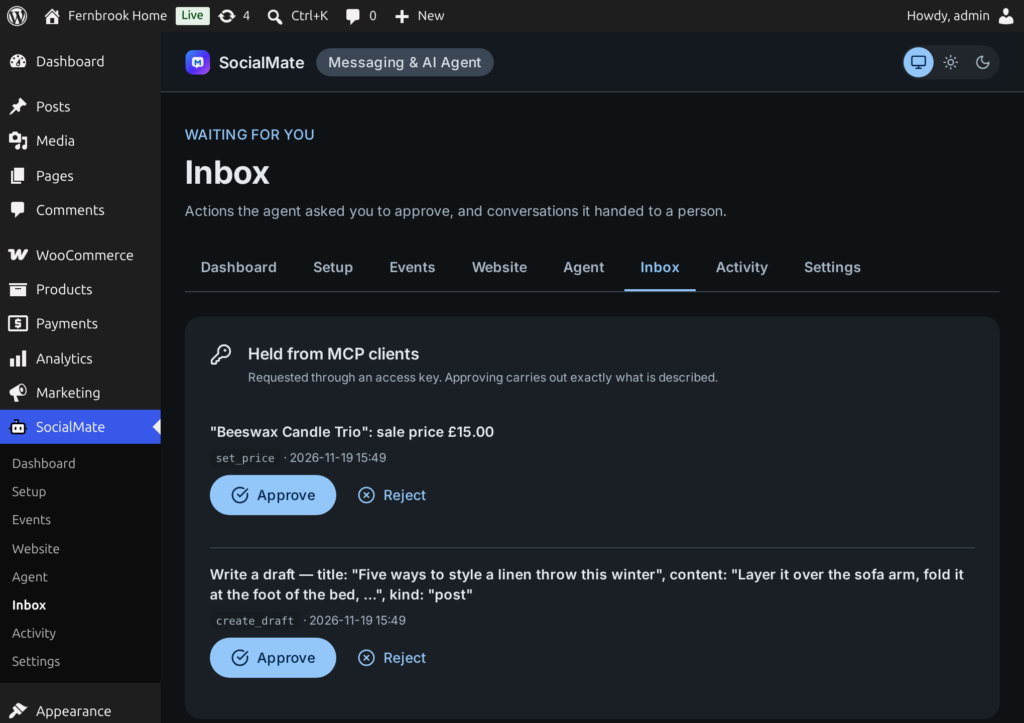
Your site’s tools are also an MCP server at /wp-json/socialmate-agent/v1/mcp. Create an access key under Settings → Access keys and use them from Claude Desktop, Cursor, n8n’s MCP client or your own script — with or without SocialMate.
The agent runs in the SocialMate app on your machine, built on Anthropic’s Claude Agent SDK, with Claude or another provider you set up there — plus voice notes, photos, knowledge, budgets and human hand-off.
The one you choose in the SocialMate app. The Claude Agent is built on Anthropic’s Claude Agent SDK and can use Claude or another provider you set up there, with your own key. More about models.
Yes. The plugin is free and messages work on every plan; the agent, and the “Agent task” choice on the Events tab, are part of SocialMate Pro ($99/year or $10/month). Connecting a Free SocialMate links messages and tells you the agent needs Pro.
Only if you let it. Every tool that changes something starts off; turn it on with “Ask me first” to approve each change, or let it run by itself. Content and catalogue changes (posts, comments, products, stock, prices, coupons) can be reverted from Activity.
No. Customer tools never take an identity from the conversation. Orders and bookings are matched against the exact WhatsApp number of the person in the chat, and anything else returns “not found”.
No — the agent runs inside the SocialMate app or server, so it must be running. While it is closed, the agent screens in wp-admin say so and the rest of the plugin keeps working. For always-on, run SocialMate as a headless server.
Yes. The same tools are an MCP server at /wp-json/socialmate-agent/v1/mcp. Create an access key under Settings → Access keys and connect Claude Desktop, Cursor, n8n’s MCP client or your own script — with or without SocialMate.
Install the free plugin, connect it to SocialMate with one token, and choose what should happen for each event. Messages work on every plan; the Claude Agent comes with Pro.