Order updates Every plan
Received, needs confirmation, processing, on hold, completed, shipped with tracking, cancelled, refunded, failed — and your own custom statuses.
WooCommerce →Order updates, reminders, bookings, forms, sign-in codes and alerts to you — every event is off until you choose Send a message, each written by you, sent from your own number at a measured pace, and listed where you can see it. Free on every SocialMate plan.
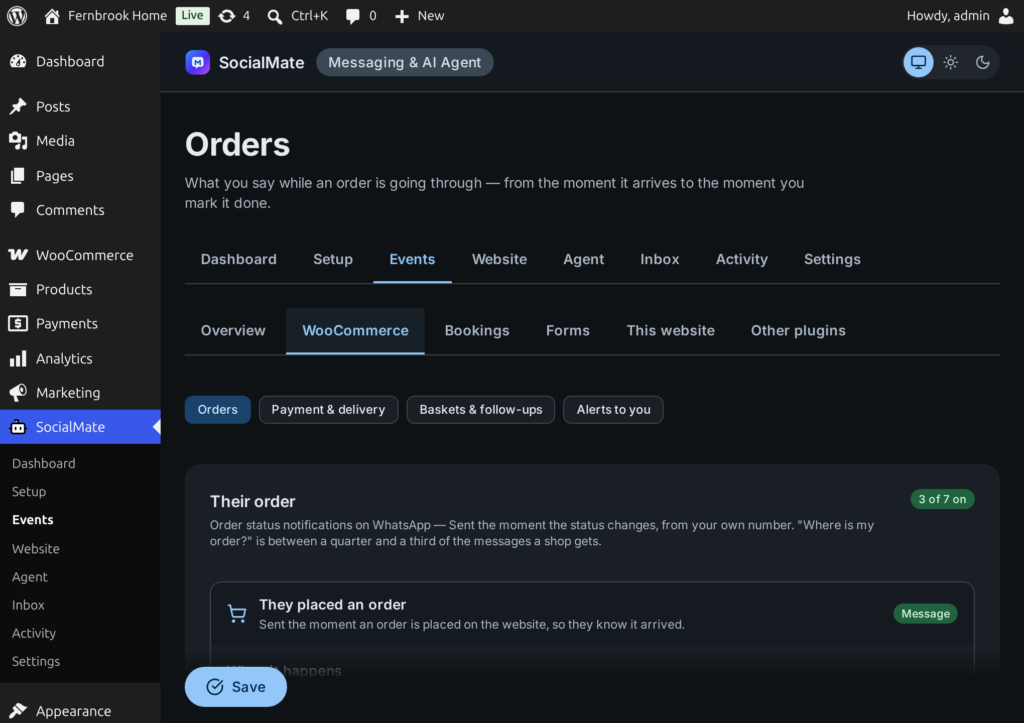
All of them work on SocialMate’s Free plan. On the Events tab, each one is off until you choose Send a message — pick only what you need.
Received, needs confirmation, processing, on hold, completed, shipped with tracking, cancelled, refunded, failed — and your own custom statuses.
WooCommerce →For an order placed but never paid, with a pay link — called off the moment the money arrives.
Learn more →Up to three per abandoned basket, each with a link that restores it. Only to people who agreed.
Learn more →A “tell me on WhatsApp” form on sold-out products, and a message when the product returns.
Learn more →A review request and a related product — never to anyone who said STOP.
Learn more →A booking made or coming up (Amelia, Bookly, FluentBooking) and a form sent (Contact Form 7, WPForms, Gravity Forms, Fluent Forms) — to the person, to you, or both.
Learn more →A code on WhatsApp instead of a password, on your login, account and checkout pages.
Learn more →New orders, low stock, new users, comments, posts published, updates waiting — to your own phone.
Learn more →Buttons that open a chat with you, the first message already typed. They need no server at all.
Learn more →When customers write back, the Claude Agent can answer with what is on your site.
Learn more →Every message ships with a sensible default you can keep or rewrite, in any language. Merge tags are a fixed list — nothing in a template can run code.
{customer_name} {shop_name} {order_number} {order_total} {order_status} {items}{pay_link} {order_link} {cart_link} {product_name} {product_link} {stock_left}{tracking_number} {carrier} {tracking_url} — from your tracking plugin{Hi|Hello} picks one wording per send, so customers do not all get the identical textYou write
{Good news|On its way} {customer_name} — order {order_number} has been sent.

{carrier} {tracking_number}
{tracking_url}
Your customer reads
On its way Laila — order #1042 has been sent.

AB 1234 5678
track.example/AB12345678The plugin separates messages people set in motion themselves from messages that sell — and treats them differently.
Updates about an order go to the number on that order. The customer placed it, so they arrive even after a STOP.
Basket reminders and follow-ups have an audience rule — people who ticked your consent box, or people who have bought from you. A stranger’s number is never messaged.
Consent guide →A customer who replies STOP is taken off offers at once, and START brings them back — in English and Arabic, plus your site’s language and any words you add with a filter.
An offer that would be queued while the customer is mid-conversation, or while a person has taken the chat over, is skipped rather than sent into the middle of it.
A form or booking can carry anyone’s number, so a message caused by a visitor goes to a number at most once a day.
Contacts, consent and messages join WordPress’s own Export and Erase Personal Data tools.
Your data →Why STOP is Pro: on Free, SocialMate does not pass incoming messages to your site, so offers go only to people who ticked your consent box.
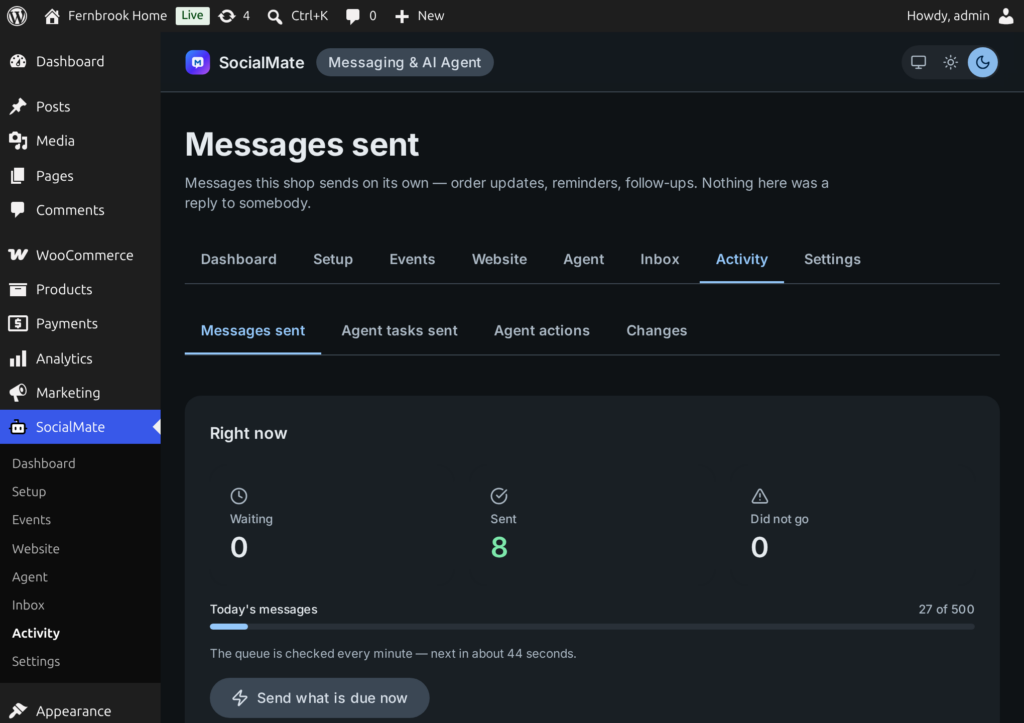
Nothing is fired straight at WhatsApp. Every message waits in the plugin’s queue on your site and goes out at a measured pace through your SocialMate, inside the daily limits of your plan and number. Activity → Messages sent shows what is waiting, what went and what did not go, and why.
Everything here goes to your own numbers and nowhere else, so there is no consent to get right. Each is off until you choose it on the Events tab.
The order number, total and items.
When someone says they paid by transfer — check the account, move the order on, and they are told.
Using the threshold already set in WooCommerce.
When somebody registers on your site.
A comment that needs your approval — or every comment, if you prefer.
When something is published, and one message a day when updates are waiting — only when the number changes.
Every event is Off, Send a message or Agent task — so each customer moment is told once. Messages work on every plan; Agent task hands the moment to the Claude Agent (Pro).
No. Every event as a message — order updates, reminders, back in stock, follow-ups, bookings, forms, alerts — plus sign-in codes and chat buttons works on SocialMate’s Free plan. Pro adds the Claude Agent, STOP/START handling and higher daily limits.
Yes. Every message is your own text, in any language, with merge tags like {customer_name} and {order_number}. You can also write alternatives such as {Hi|Hello} so customers do not all receive identical wording.
As many as your number’s limits allow: up to 200 a day on Free and 500 a day per number on Pro (up to 5,000 with opt-in High-Volume Mode). A newly linked number warms up over its first days. Anything over the limit waits in the queue and goes out on its own.
Messages wait in the plugin’s queue on your site and go out when SocialMate is back — for up to a day, after which an order update would be too late. For an always-on setup, run SocialMate as a headless server — on Free, someone reconnects the number after each restart of the app or server; Pro reconnects by itself.
No. When SocialMate answers that a message is queued, the plugin does not send it again, and a send whose answer was lost is never retried. And each event has one choice — off, a message or an agent task — so a moment is never told by both your message and the agent.
On Pro, a customer who replies STOP is taken off offers and reminders at once. On Free, SocialMate does not pass incoming messages to websites, so offers go only to people who ticked your consent box. Order messages are not offers and still arrive.
Install the free plugin, connect it to SocialMate with one token, and choose what should happen for each event. Messages work on every plan; the Claude Agent comes with Pro.