SocialMate – Messaging & AI Agent · Events and messages
Back in stock
The “tell me on WhatsApp” form and the message.
Every plan
A shopper who finds a product sold out can leave their WhatsApp number on the product page. When it is back in stock, they get your message with a link to it — once.
Before you start
- Every plan “Before anything sends” cleared on Events → Overview (Your first message).
- Products that track stock in WooCommerce, so the plugin knows when one sells out and when it returns.
Steps
1Choose a message for Back in stock
Open SocialMate → Events → WooCommerce → Baskets & follow-ups. Under Stock, expand Back in stock and pick Send a message (or Agent task with SocialMate Pro).
The form only appears on your product pages while this event is not off — so choosing a message is also what shows the form.
2Write the message
Edit What it says. Useful tags: {product_name}, {product_link}, {shop_name} and {customer_name}. Test it with Send this to my number, then press Save.
3Check the form on a sold-out product
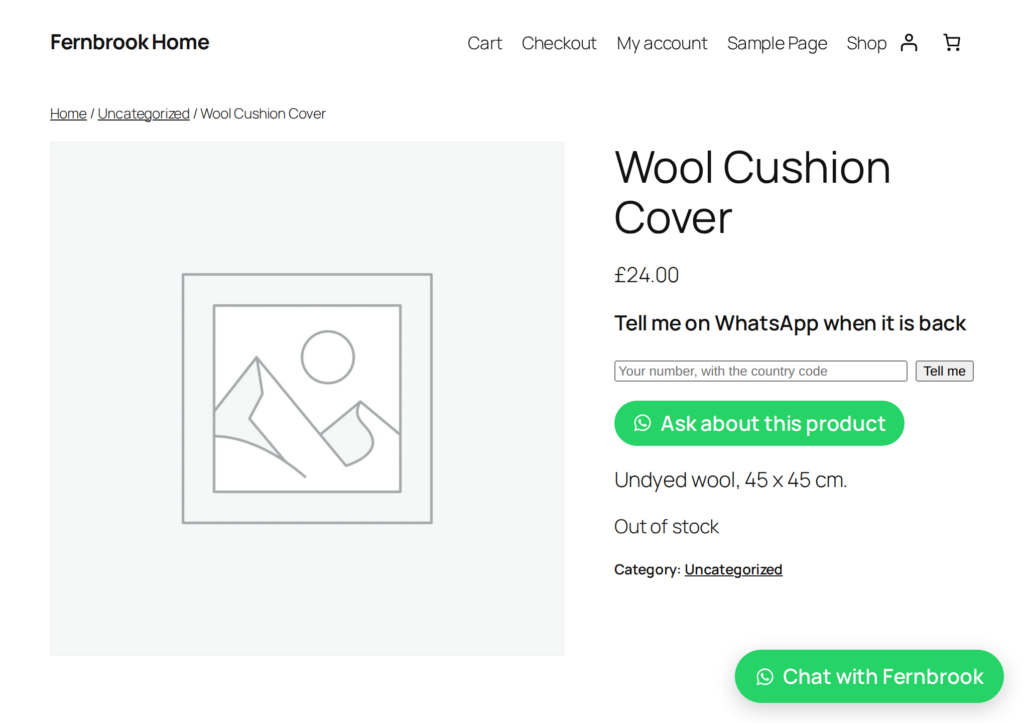
Open any out-of-stock product on your shop. Under the product summary there is a small form: Tell me on WhatsApp when it is back, a number field (“Your number, with the country code”) and a Tell me button.
After sending it, the shopper sees “We have your number. You will hear from us on WhatsApp the moment it is back.” A signed-in customer finds their number already filled in.
4Restock as usual
When the product’s stock comes back — by hand, from an import, from another plugin — everyone waiting is told. Each person hears once per product, and the messages go through the queue at your number’s pace.
Good to know
Asking is the consent. The shopper asked to be told, so this counts as a service message to them — no checkout tick needed for it.
- Variable products: the form shows when the whole product is out of stock, and everyone waiting is told when any of it returns.
- A restock is worked through every minute in small batches (five products, up to 25 people each, per minute), so a big import never sends everything at once.
- A number without its country code is refused on the form with “That number needs its country code”. Pressing the button twice is harmless.
- The form is built to keep working on cached product pages.
- With the Claude Agent (Pro), customers can also ask in the chat to be told (the
notify_when_backtool), and the one choice on the event — Send a message or Agent task — decides whether your message or the agent tells them, never both.
Next
- Alerts to you — including “something runs low”.
- Abandoned basket reminders
- SocialMate for WooCommerce