SocialMate – Messaging & AI Agent · The agent
Inbox, take-over and activity
Conversations, approvals and revert in wp-admin.
Pro
You can run the Claude Agent without leaving wp-admin: see what it did, approve what it asked, step into a conversation, and undo a change it made to your content.
Before you start
- Pro An agent set up (Set up the agent) and the SocialMate app running — Inbox and Agent → Agents read from it live.
- Administrator or shop manager role (shop managers see Dashboard, Inbox and Activity; the Agent tab is for administrators).
Steps
1Start at the Dashboard
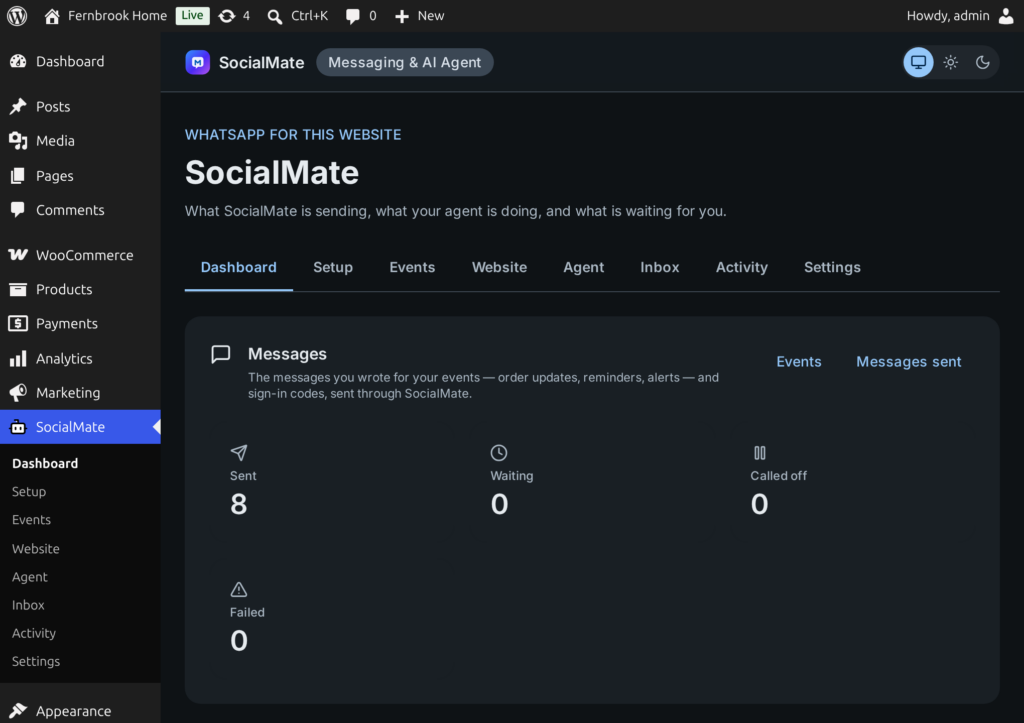
SocialMate → Dashboard shows what your messages did (sent, waiting, held, failed), the agent’s day (conversations, replies sent, tokens and cost), what is waiting for you, and what the agent can reach on this site: customer and owner tools on, tool calls in the last 24 hours and the most used tools.
2Clear the Inbox
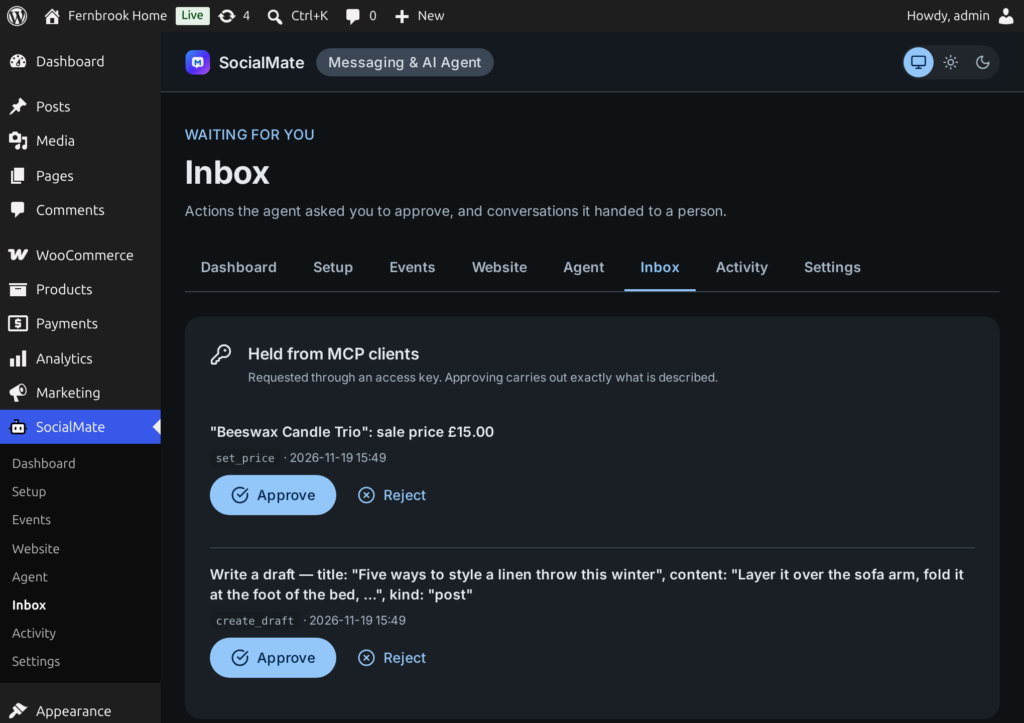
SocialMate → Inbox holds what is waiting for you:
- Approvals — actions the agent asked to do. Each shows the agent, the customer (number masked) and when; add a Note (optional) and press Approve or Reject.
- Handed to a person — conversations the agent passed to you, with why and since when. Open shows the conversation.
- Held from MCP clients — changes requested through an access key. Approving carries out exactly what is described.
3Take over a chat
In an open conversation, type under Reply as a person and press Send: it goes from your WhatsApp number through SocialMate, with the usual pacing, and the agent stays quiet in that chat while you handle it. Take over (agent stays quiet) and Hand back to the agent switch the chat between you and the agent.
4Check Activity, and revert a change
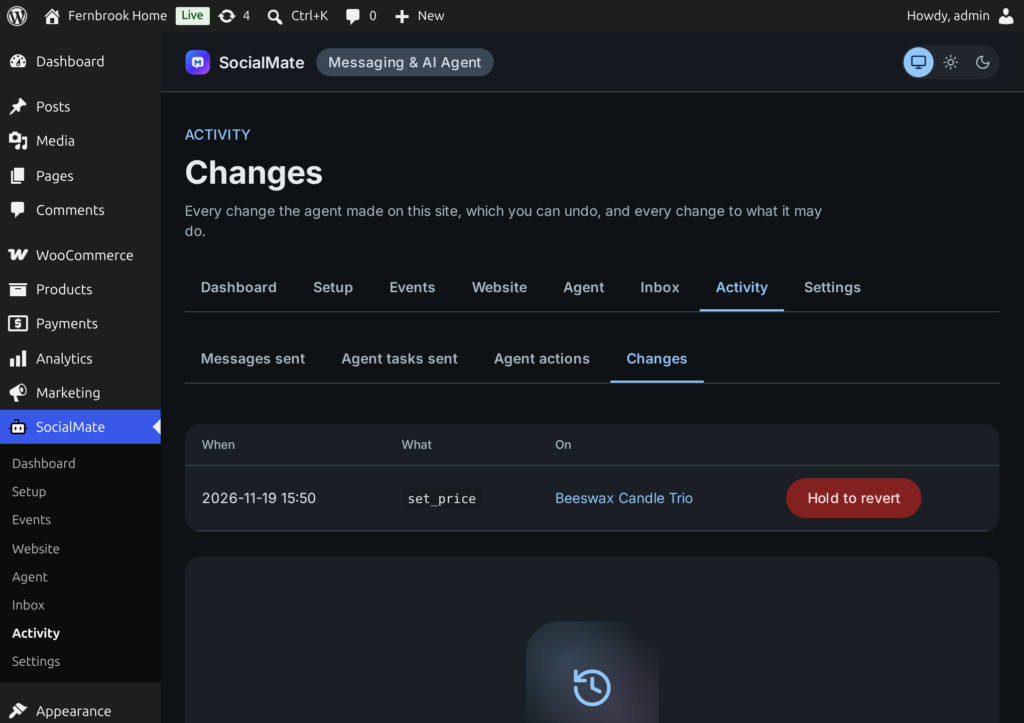
SocialMate → Activity has four tabs: Messages sent (every message your events sent), Agent tasks sent (every event handed to the agent), and two about the agent on this site:
- Agent actions — every call the agent made on this site: when, which tool, for whom (owner, a masked customer number, a test or an access key), the arguments, the result and how long it took.
- Changes — drafts, publishes and other edits, each with Hold to revert. Posts, pages, products and comments can be reverted here; other changes say Undo in WordPress. Changes also lists who switched which group or tool on or off.
5Pause or adjust the agent
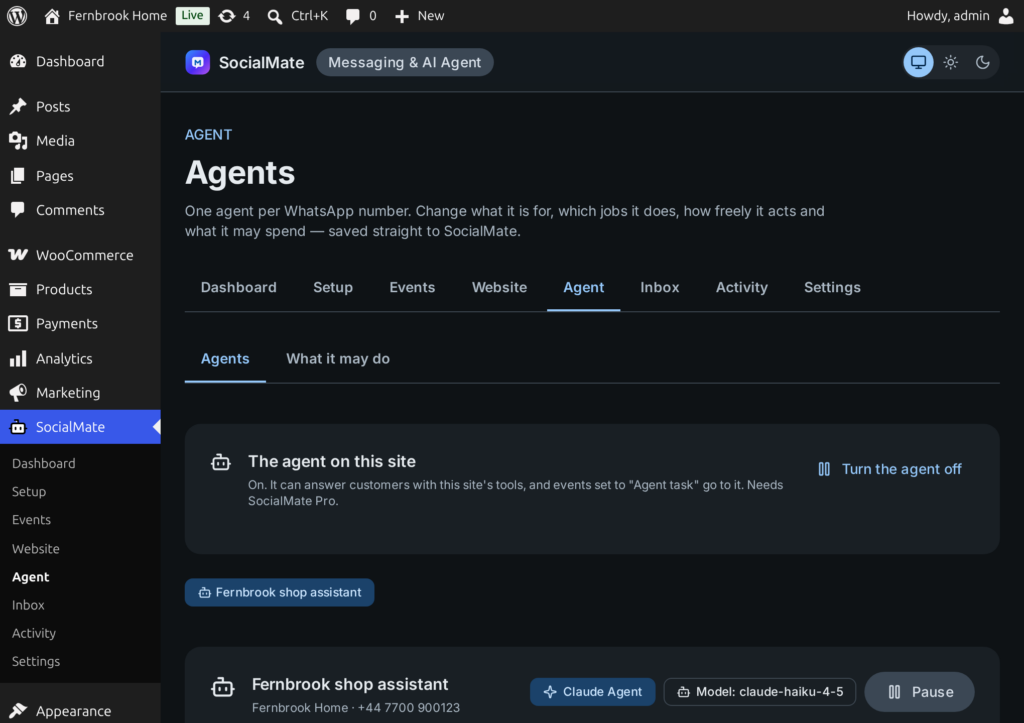
SocialMate → Agent → Agents shows each agent with its model, status, conversations and resolution rate over 7 days, hand-offs, tokens, cost and monthly budget. Pause stops it at once; Resume starts it again. Below, change its purpose, How freely it acts, its jobs and budgets, and press Save to SocialMate.
Good to know
When the SocialMate app is closed, Agent → Agents and Inbox say they cannot reach it. Activity, What it may do, Events and your messages keep working on your site.
- The activity log never stores full phone numbers or email addresses: numbers are masked, and numbers or emails in arguments are replaced.
- Records are kept for 90 days by default — one value for every log, under Settings → Advanced (Keep records for).
- Persona, knowledge and the model are edited in the SocialMate app, which also has its own inbox, test console and usage view.