SocialMate – Messaging & AI Agent · The agent
Owners and approvals
Your numbers with owner tools, and Ask me first.
Pro
Everyone who writes to your WhatsApp is a customer to the agent — except your own numbers that you give owner tools. Such a number gets owner tools (sales figures, drafts, publishing, store management) and acts on your site as the WordPress user you map to that number. Owners are also who the agent asks before it does something you set to “Ask me first”.
Before you start
- Pro The agent set up (Set up the agent).
- A WordPress account for each owner, able to edit posts — the owner tools run with that account’s permissions.
Steps
1Add your number on your website
Open SocialMate → Settings → Your business & owners (Setup’s Your numbers step has the same list). Under Your numbers, fill in:
- WhatsApp number — international format, e.g. +201001234567.
- Label (optional) — so you know whose number it is.
- Gets the alerts — on if this number should get the alerts you choose on the Events tab.
- May use owner tools — on for the owner lane.
- Acts as — the WordPress user this number works as.
Press Add number. Remove takes a number off the list. A number that only gets alerts never gets owner tools.
2Add the same number in the app
In the SocialMate app, open Agents → your agent → Autonomy and add the number to Owner WhatsApp numbers (up to ten). Keep Alert owners on WhatsApp on to get hand-offs and approval requests on your phone.
Both lists matter: SocialMate decides that a message comes from an owner, and your website checks that it knows that number. If they disagree, the owner tools are refused with “This WhatsApp number is not an owner on this website. Add it under Settings → Your business & owners, with owner tools.”
3Talk to your agent as the owner
From an owner number, message your shop’s WhatsApp like anyone else — for example “how were sales this week?” or “draft a post about our new opening hours”. The agent answers with owner tools, as your WordPress user.
4Approve what it asks
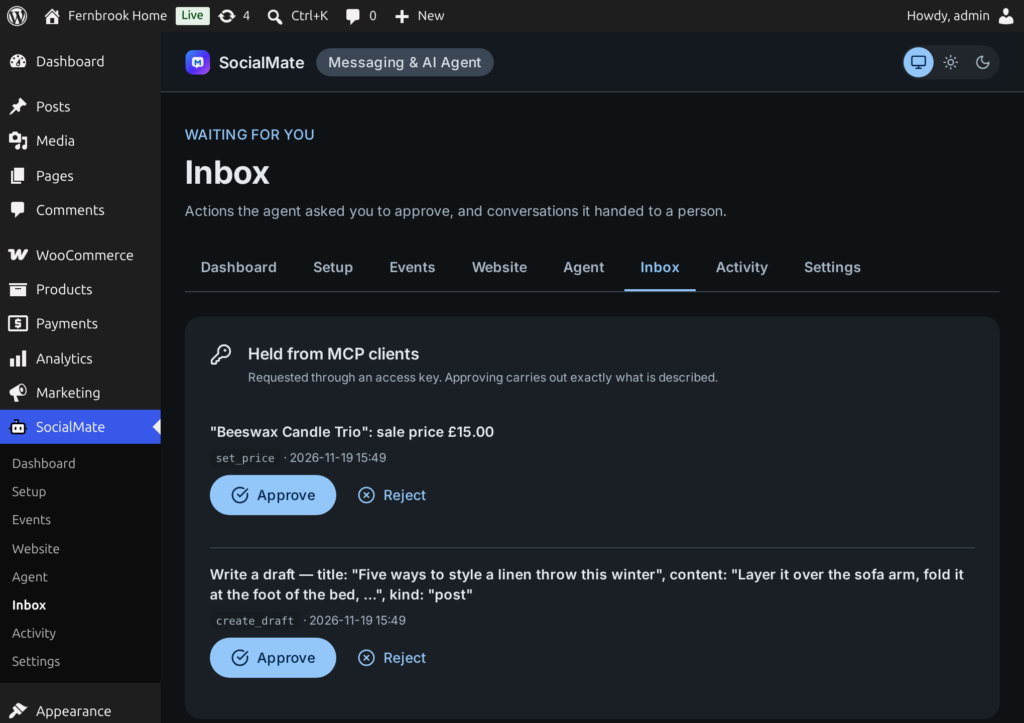
A tool set to Ask me first does not run when the agent calls it. Instead the plugin works out exactly what would change and holds it. You see that exact change and approve or reject it — on your WhatsApp (owner numbers), in the app, or in wp-admin under SocialMate → Inbox → Approvals (Approve or Reject, with an optional note).
While something is waiting, the SocialMate menu shows a count and the admin bar says “N waiting for you”.
Good to know
You approve the change, not the AI’s description of it. The held action is resolved on your site first — which record, which values — and approving carries out exactly that.
- If the mapped WordPress user is not allowed to do something, the owner tool answers “Your WordPress account cannot do that.” Map the number to an account with the right role.
- Events told to you (“tell me”, alerts to you) go to the numbers on this list that get the alerts.
- An owner number is only an owner on WhatsApp. In wp-admin, what someone can do still depends on their WordPress role.