“Where is my order?” all day long
A message for every status change, and a “shipped” message with the tracking number the moment one appears on the order.
Tell customers where their order is before they ask, chase failed payments and forgotten baskets, bring buyers back when stock returns — on every SocialMate plan. Add Pro and the Claude Agent confirms cash-on-delivery orders and sells inside the chat.
Each fix is an event in the plugin — off until you choose a message or an agent task, written in your own words.
“Where is my order?” all day long
A message for every status change, and a “shipped” message with the tracking number the moment one appears on the order.
Payments that fail and nobody notices
A “your payment did not go through” message with a link to pay again — and a reminder for orders placed but never paid.
Full baskets, no order
Up to three reminders per abandoned basket, each with a link that puts the basket back — only to shoppers who already agreed to hear from you (the WhatsApp tick on an earlier order, or START), never a first-time visitor.
Sold out, and the buyer is gone
A “tell me on WhatsApp” form on sold-out products, and a message to everyone who asked when it is back.
Cash-on-delivery parcels sent back
Ask for a “yes” before you pack. With the agent, the reply moves the order on; a cancellation waits for you.
Numbers typed without a country code
The number is repaired from the billing country the customer chose, and an order note says so — instead of every message quietly failing.
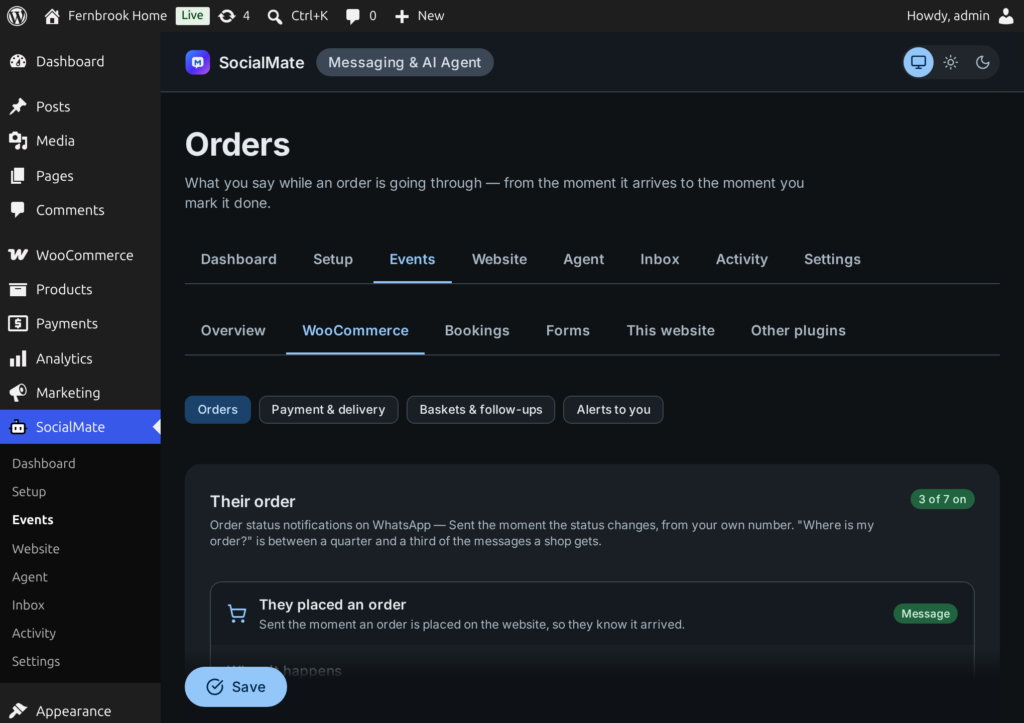
Choose the moments you want on Events → WooCommerce, keep the wording or write your own. Each is sent to the number on that order — the customer set it in motion.
Each message is a sentence you write with merge tags such as {customer_name}, {order_number}, {order_total}, {items} and {pay_link}. A tag with nothing to fill it is left out, so a customer never sees a raw brace.
A basket is written down only once the customer has given a number — at checkout or in their account. Reminders go only to people who already agreed to hear from you: the WhatsApp tick on an earlier order, or START on Pro (or, if you choose on Pro, past buyers). A first-time shopper who leaves before ordering is not reminded.
They leave a basket
After 30 quiet minutes the basket counts as abandoned. A basket with no number is never kept.
Up to three reminders
By default an hour later, a day later and three days later — each with {cart_link}, a link that puts their basket back.
They order, it stops
An order cancels the rest of the sequence, and the basket is marked recovered. After the last reminder, nothing more about that basket.
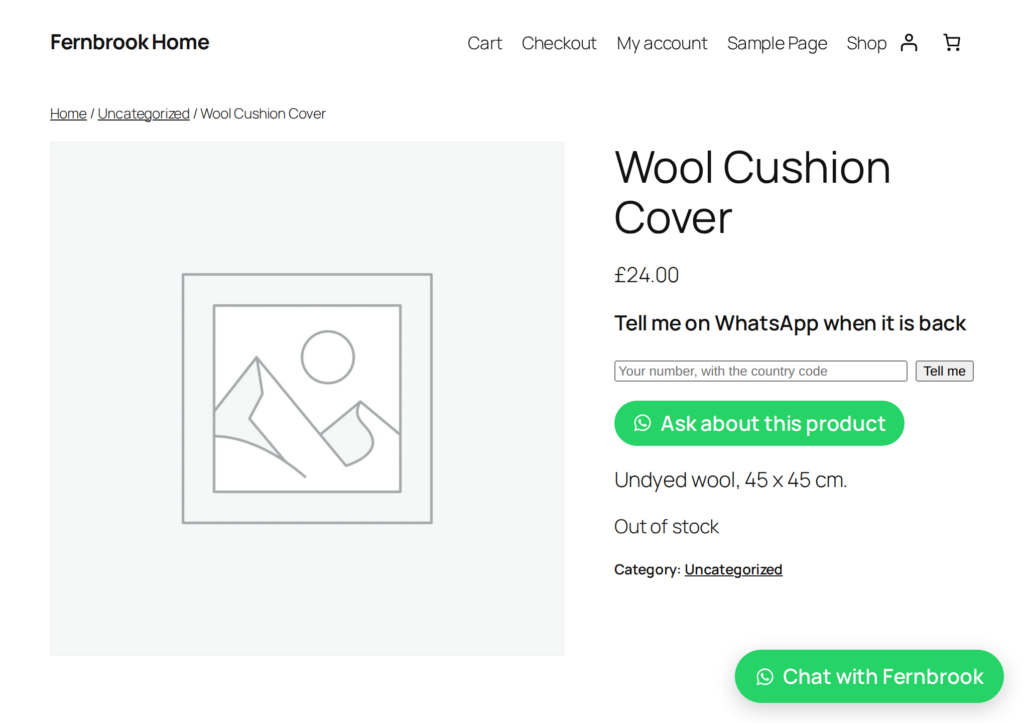
A small form appears on sold-out products. The shopper leaves their number; when the product returns, they get a message with a link straight to it.
Two follow-ups that bring people back — each off until you choose it, each with its own audience rule, and never to anyone who said STOP.
A review request a few days after you mark the order complete (four by default). Once per order, ever.
A week after an order by default, using only the products you set as upsells in WooCommerce.
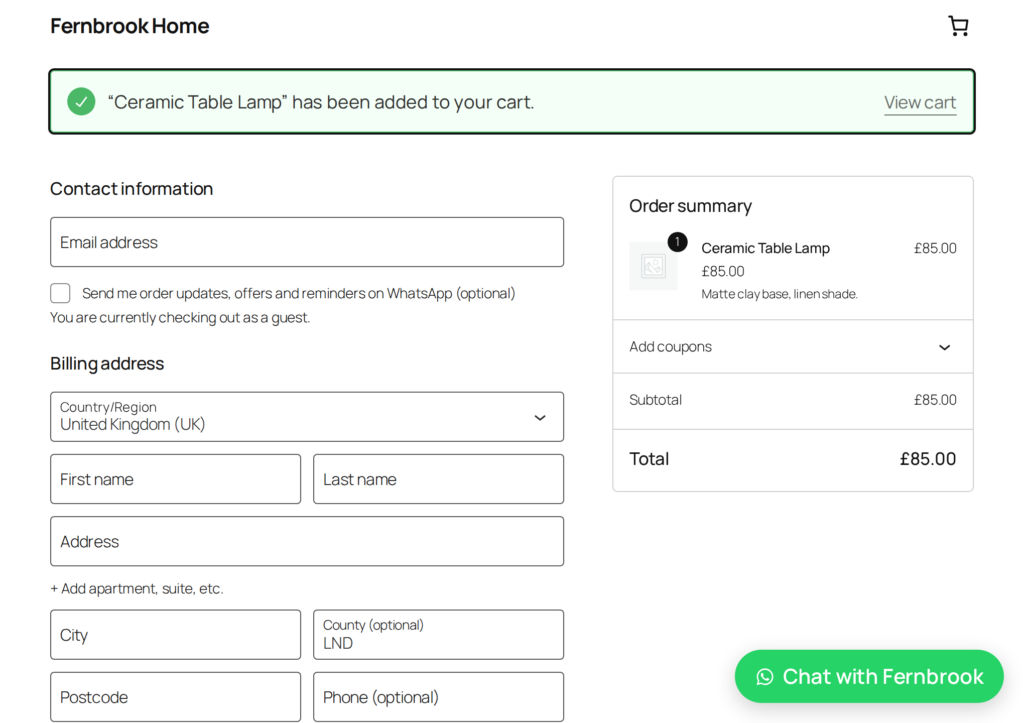
A WhatsApp consent box on the checkout records who agreed to hear from you — on the classic checkout and the block checkout. Order messages still go to every order’s own number; the box is what offers and reminders need.
A refused COD parcel costs you the delivery both ways. Ask first.
A message asking for a yes before you pick and pack, with the items and the total. It goes on every plan, for every new website order once you choose it — Setup suggests handing it to the agent.
The Claude Agent reads the reply and confirms the order with confirm_my_order. A cancellation asks you first.
Optionally keep COD orders on hold until the customer confirms in WhatsApp, so nothing ships unconfirmed — a switch on the “Ask them to confirm the order” event.
With the “Sell in WhatsApp” job, the Claude Agent finds products, builds a basket, takes the address, offers your real delivery and payment methods and places the order in WooCommerce — then sends a pay link. Built on Anthropic’s Claude Agent SDK; the model is your choice.
view_basket, add_to_basket, apply_couponset_delivery_address, delivery_options, choose_deliverypayment_options, choose_payment, place_order, get_payment_linkreorder, change_my_order_address, request_return, notify_when_backfind_products
add_to_basket
set_delivery_address
delivery_options
place_order
get_payment_link
Claude Agent · Model: your choice
Owner tools work only for your own numbers that you give owner tools, each acting as the WordPress user you map to it. A number that only gets alerts never does.
A new order, someone saying they have paid by transfer, low stock — sent to your own number, never to a customer.
Alerts guide →orders_needing_attention, sales_summary, low_stock and recent_orders, answered in the chat.
mark_order_paid, add_tracking, update_stock, set_price, create_coupon — each off until you switch it on, and able to ask you first.
A customer moment — an order shipped, a product back in stock — is off, your message or an agent task, never two at once. Messages work on every plan; agent tasks need Pro.
Order received, needs confirmation, processing, on hold, completed, shipped, cancelled, refunded and failed, plus a payment reminder for unpaid orders. Custom statuses from your own or a fulfilment plugin can each have a message too. Each is an event under Events → WooCommerce, off until you choose Send a message (or Agent task, on Pro); Setup suggests a few plain order updates.
It reads it from Advanced Shipment Tracking, WooCommerce Shipment Tracking or YITH order tracking if you run one, or from a tracking field the plugin adds to the order screen. The message goes the first time a tracking number appears on the order.
By default, only people who already agreed to hear from you: they ticked your WhatsApp box on an earlier order, or replied START (SocialMate Pro). On Pro you can also choose people who have bought before. A first-time shopper who leaves before ordering has not agreed yet, so they are not reminded. A basket with no number is never recorded, and the reminders stop the moment they order.
Yes. The WhatsApp consent box and the phone-number repair work on both the classic and the block checkout, and the chat buttons appear under the classic basket and checkout (and anywhere you put the [socialmate_order_button] shortcode).
The “Can you confirm your order?” message goes on every plan. Reading the customer’s “yes” and moving the order on is done by the Claude Agent, which needs SocialMate Pro; on Free you check replies on your phone and update the order yourself.
With Pro and the “Sell in WhatsApp” job, yes: the agent finds products, builds a basket, takes the address, offers your delivery and payment methods, places the order in WooCommerce and sends a pay link — using tools such as add_to_basket, place_order and get_payment_link.
No. Each event — an order shipped, a product back in stock — has one choice: off, your message, or an agent task. So it is told one way only, and a one-click agent job never replaces a message you already wrote.
Install the free plugin, connect it to SocialMate with one token, and choose what should happen for each event. Messages work on every plan; the Claude Agent comes with Pro.